.png?width=250&height=44&name=CodePay_%20wordmark_v1%20(2).png)
- Release date: February 1, 2026
- Rollout: App update, available on the App Store and Google Play
- Action required: Update CodePay Go to version 1.0.1 from the App Store or Google Play.
- Affected areas: Date filters, transactions, notifications, charts, Store Profile
CodePay Go 1.0.1 shows tip amounts in transactions, links notifications to transaction details, and fixes how dates, charts, and amounts display.
Date filters now cover the full day by default
Behavior change · Date filters
What changed: Date filters now show data for the full day (00:00–23:59) by default. Same-day time filtering no longer leaves out data or shows misleading results because of the selected time range.
Why it matters: Same-day views include every transaction from that day.
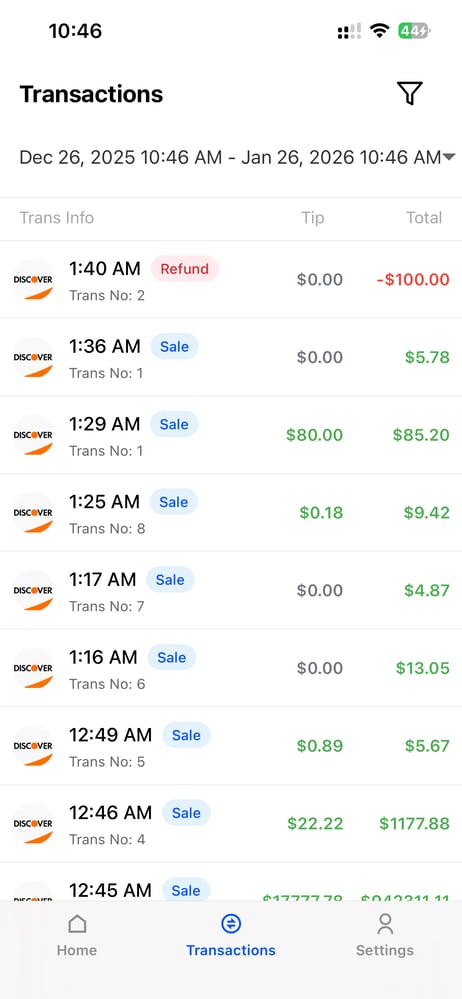
See tip amounts in transactions
New · Transactions
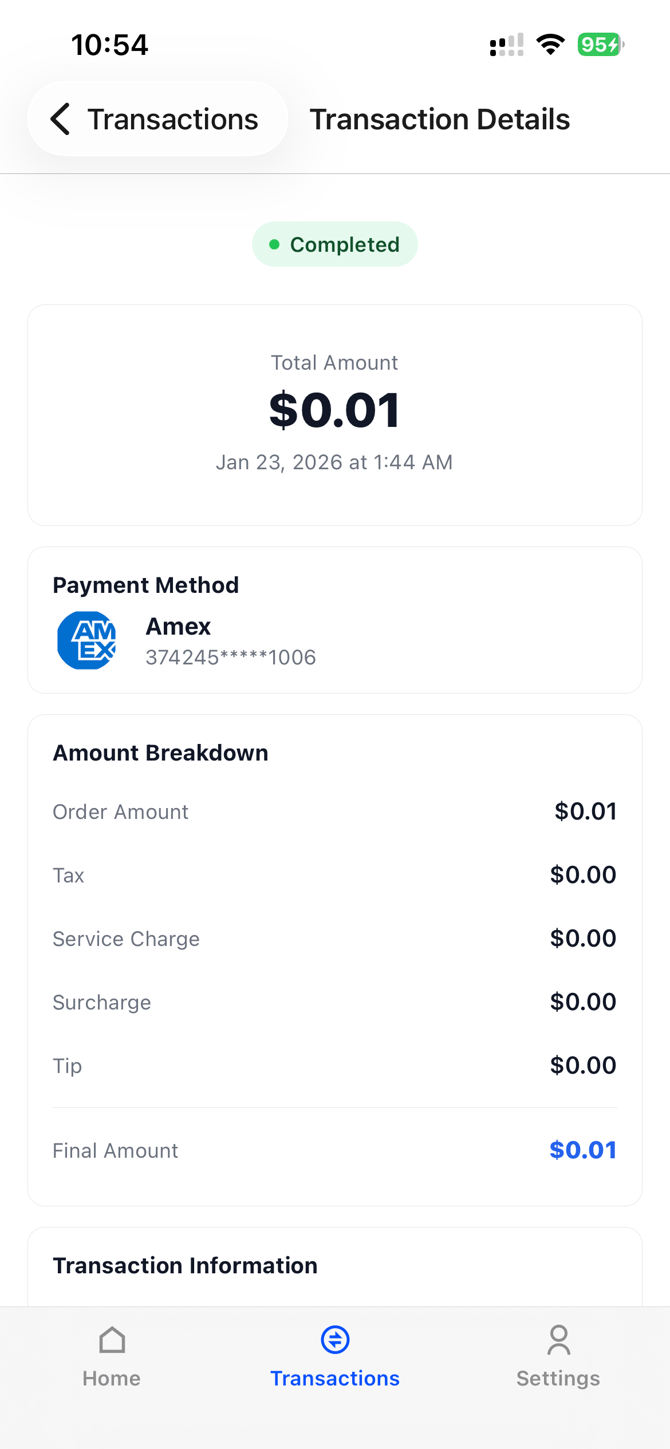
What changed: The transaction list now shows each transaction's tip amount in a Tip column. In transaction details, Tip appears as its own line in the Amount Breakdown.
Why it matters: Merchants can see tips separately when reviewing revenue and reconciling transactions.
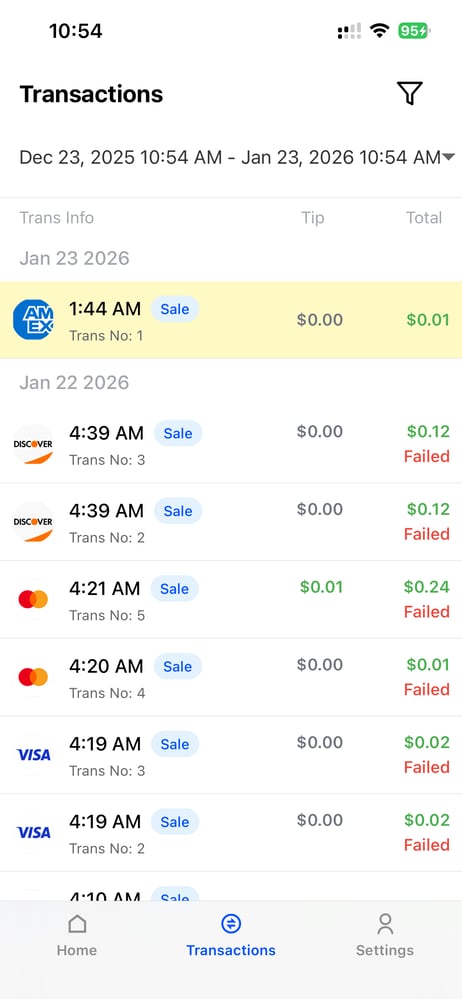
Only failed transactions show a status label
Improved · Transactions
What changed: The transaction list labels only failed transactions, marked Failed. All other transactions appear without a status label.
Why it matters: The transaction list has less visual clutter.
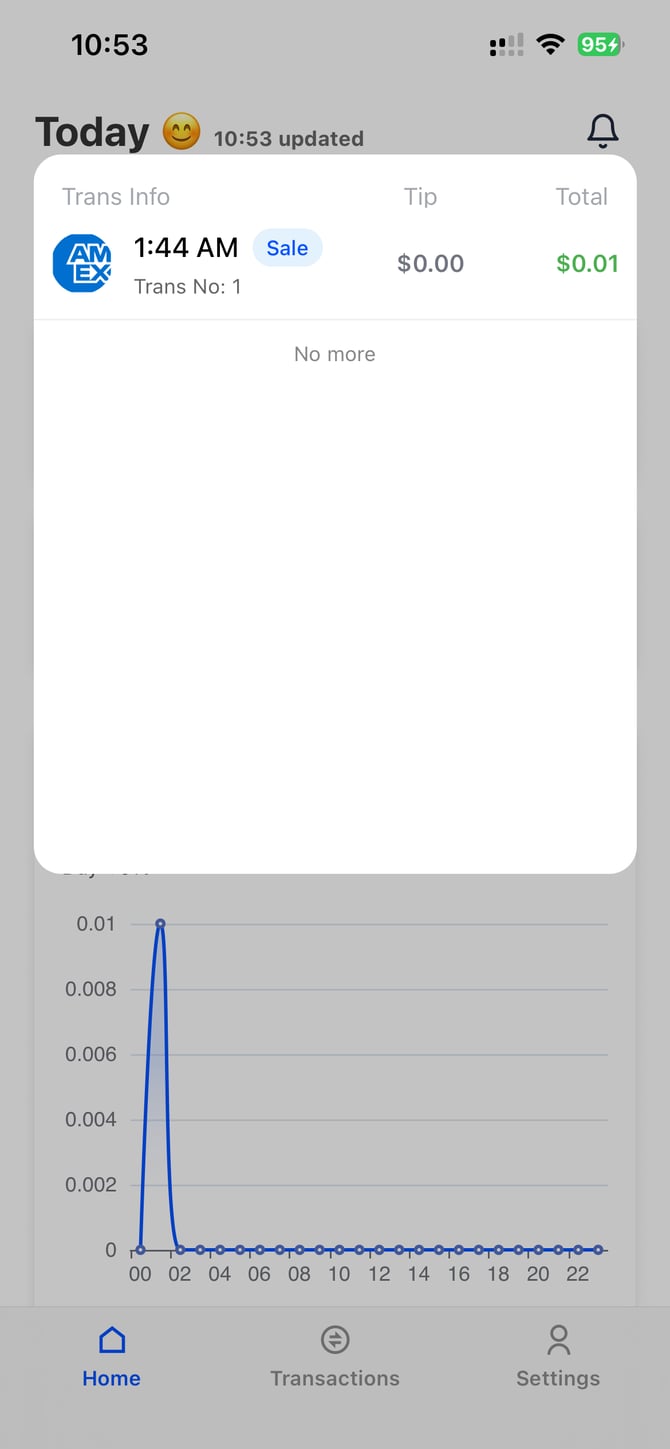
Open a transaction directly from a notification
Improved · Notifications
What changed: Tapping a notification opens the details for that transaction. Returning to the transaction list briefly highlights the transaction just viewed. The notification list now uses the same layout as the transaction list, with Trans Info, Tip, and Total.
|
|
See color-coded growth rates and thousands separators
Improved · Charts and reports
What changed: Charts and amounts now follow these display rules:
- All amounts and values use thousands separators (for example, 21,000).
- Positive growth rates show in green, negative in red, and 0% in gray.
- When there's no data, charts still show their title and axes, with a message explaining that there's no data.
See every store in Store Profile
Improved · Store Profile
What changed: Merchants with multiple stores can now see their full store list in Store Profile, shown as a vertical list.
Fixes
- Charts: Chart data no longer loads inconsistently or appears only after a manual refresh.
- Display: Overlapping text and inconsistent spacing on some pages are fixed.
- Pull to refresh: The pull-to-refresh area now looks the same across devices.
- Transaction details: Tax is labeled Tax throughout, and unneeded fields are removed.
Compatibility
This release doesn't change transaction or settlement flows.
Support
For questions or support, contact support@codepay.us.